
AssignmentGPT Blogs

Why Students Use AI Code Generators for Programming

Get an AI summary of this post on:





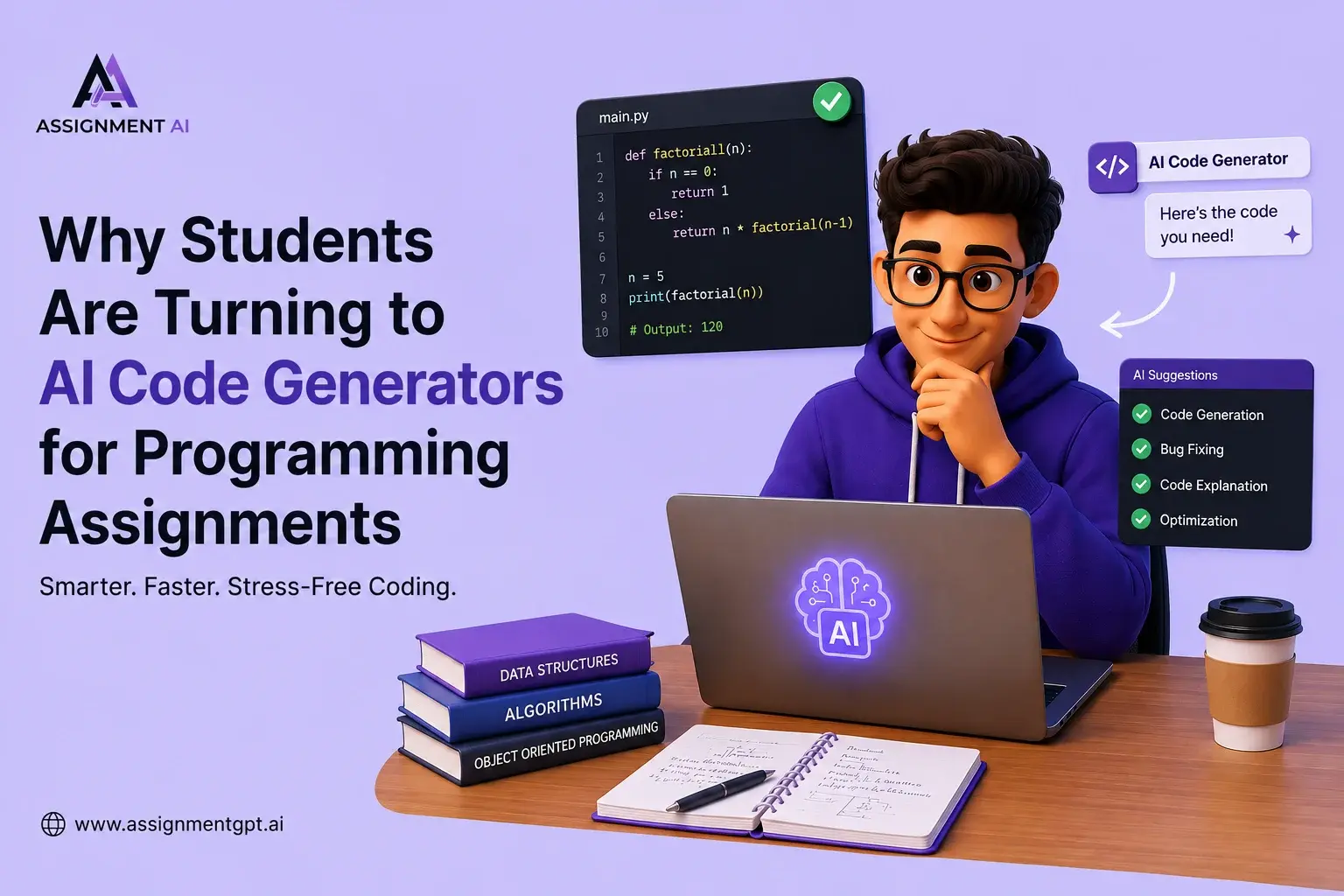
Programming classes are getting tougher each year, and students can vouch for that. Computer science remains one of the top choices for university students around the world in 2026.
Yet, all that growth hasn't made classes any easier. In fact, homework is now more complicated, deadlines are stricter, and there's a greater expectation for students to pick up new programming languages.
It's no surprise then that more students are using AI code generators to cope. For example, the AI Code Generator from AssignmentGPT sees tons of student users nowadays.
What Is an AI Code Generator?
An AI code generator uses artificial intelligence to write programming code based on your text input. You type what you need, pick a language, and the AI spits out the code.
These modern tools, like AssignmentGPT AI, tackle tasks from easy "Hello World" programs to complicated stuff like data structures and API integrations. They handle over a hundred languages, too, including Python, Java, C++, you name it.
Best of all, you don't have to be a coding pro to use them. Even freshmen in computer science can whip up working code in seconds.
Why Programming Assignments Have Become More Challenging
Let's be honest about where coding education is now. A decade ago, most CS intro tasks were in one language, usually C or Java. Now, students must know several languages, grasp cloud ideas, and switch between writing object-oriented and functional code, sometimes deploying apps too.
The biggest struggles for students include:
Understanding Complex Algorithms
Dynamic programming, recursion, binary trees, and graph traversal are genuinely difficult concepts. Many students understand the theory, but freeze when they have to convert it into working code.
Debugging Errors
Debugging is a skill that takes years to develop. For beginners, a missing semicolon or an off-by-one error can waste hours. Without a mentor sitting next to you, it often feels impossible.
Managing Deadlines
Most CS students are balancing multiple subjects, part-time work, and personal life. A programming assignment that takes a full evening is a serious time commitment, sometimes one they simply do not have. Students who struggle with this can benefit from learning the best time management skills for college students.
Learning Multiple Programming Languages
Switching between Python, Java, SQL, and JavaScript in the same semester is disorienting. Each language has its own syntax rules, and students often confuse them under pressure.
Why Students Are Turning to AI Code Generators
Here is the interesting part: students are not using AI code generators to cheat. Most of them are using these tools to learn faster.
Faster Code Generation
Instead of spending three hours writing a sorting algorithm from scratch, a student can generate a working version in seconds, then study how it works line by line.
Instant Problem-Solving Assistance
AI code generators are available 24/7. There is no waiting for office hours or forum replies. The help is there the moment you need it.
Better Understanding of Coding Concepts
Good AI tools do not just give you the code; they explain the logic behind it. AssignmentGPT AI, for example, provides line-by-line explanations so students actually understand what the generated code is doing. This approach aligns with how AI homework helpers help students learn smarter rather than just handing them answers.
Reduced Assignment Stress
When students know they have a reliable tool to help them get unstuck, the anxiety around assignments decreases. They approach coding with more confidence, and confidence leads to better learning outcomes.
How AI Code Generators Work: Step-by-Step
Step 1: Enter Your Programming Problem
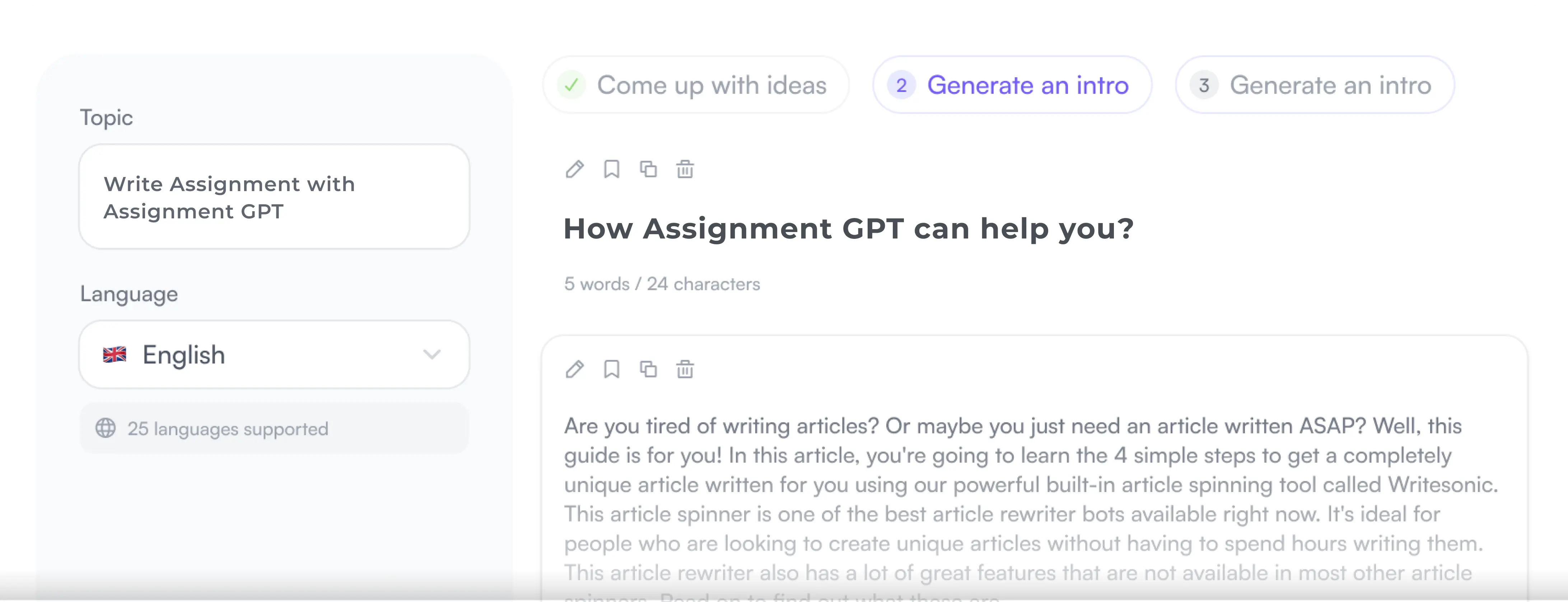
Start by describing the coding task in plain English. There is no need to write complex technical instructions. Simply explain what you want the program to do.
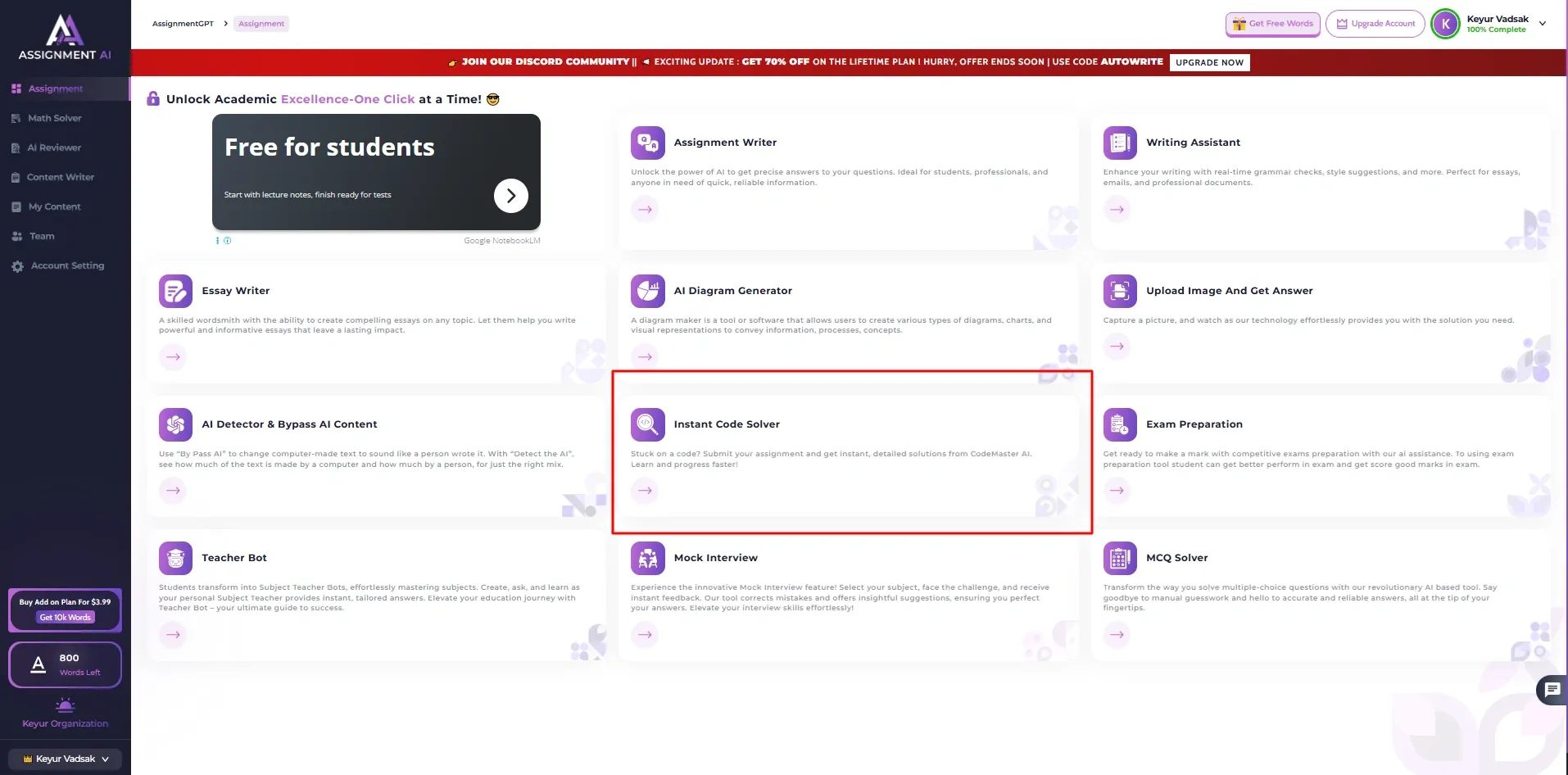
Step 2: Choose Your Programming Language
Select the programming language that best fits your assignment requirements. AssignmentGPT supports over 100 programming languages, including:
- Python
- Java
- C++
- JavaScript
- TypeScript
- HTML/CSS
- PHP
- C#
- Golang
- Rust
- R
- And many more
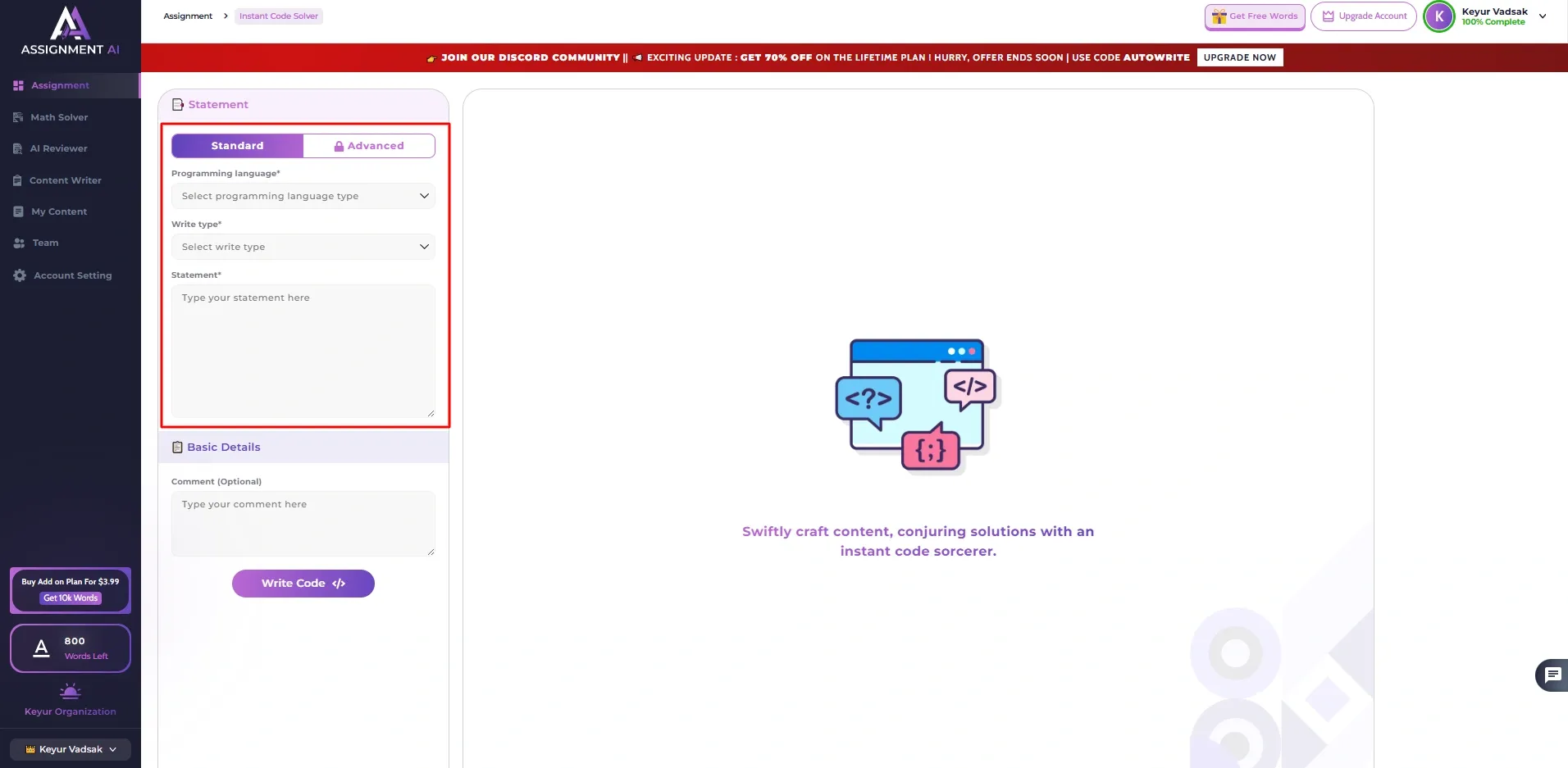
Step 3: Generate AI-Powered Code
Click the "Write Code" button to generate your solution instantly. Within seconds, the AI creates clean, structured, and functional code based on your requirements.
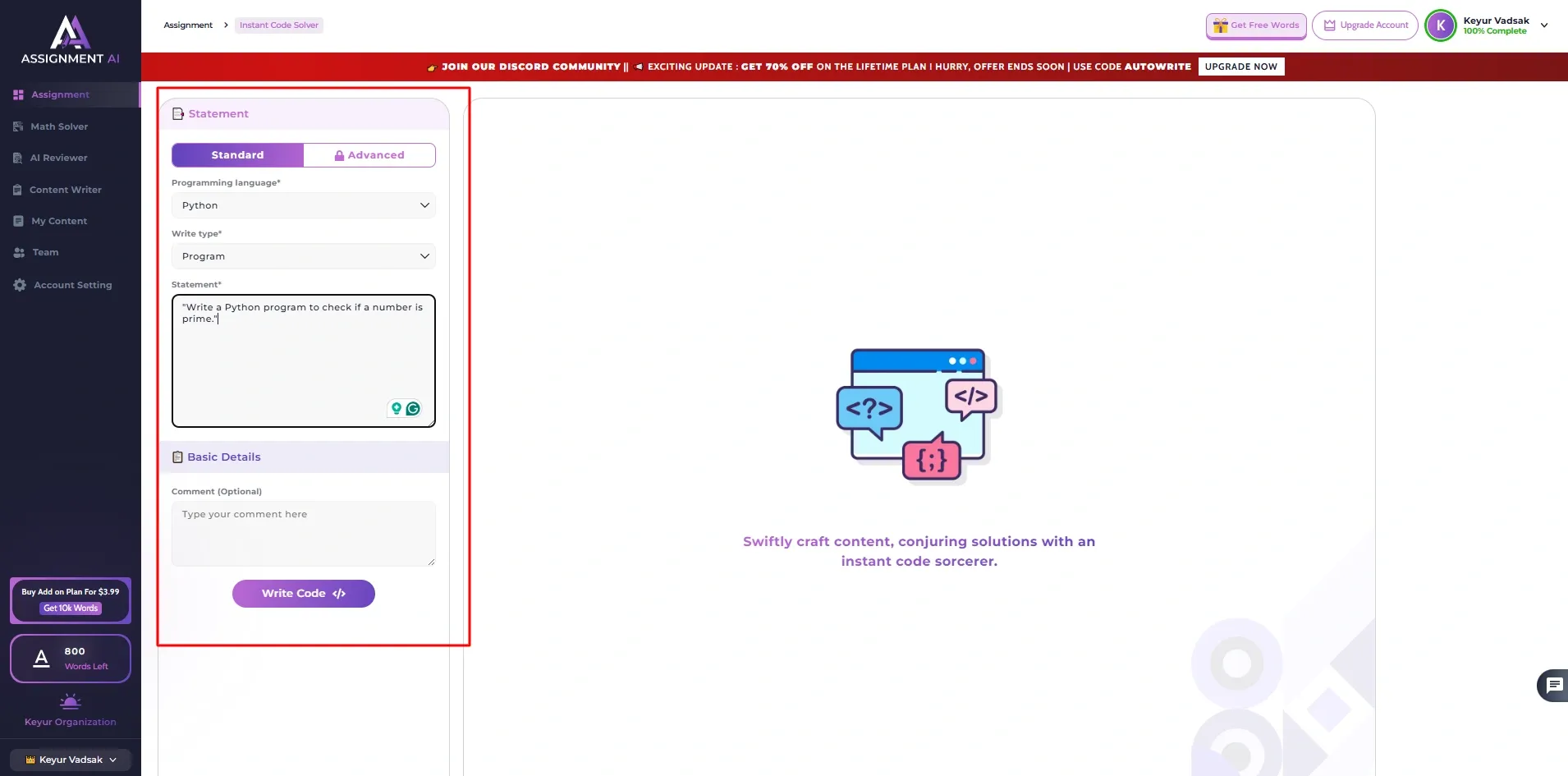
Step 4: Review the Generated Solution
Carefully examine the generated code and understand how it works. AssignmentGPT provides detailed explanations for important functions, logic blocks, and programming concepts, helping you learn while you code.
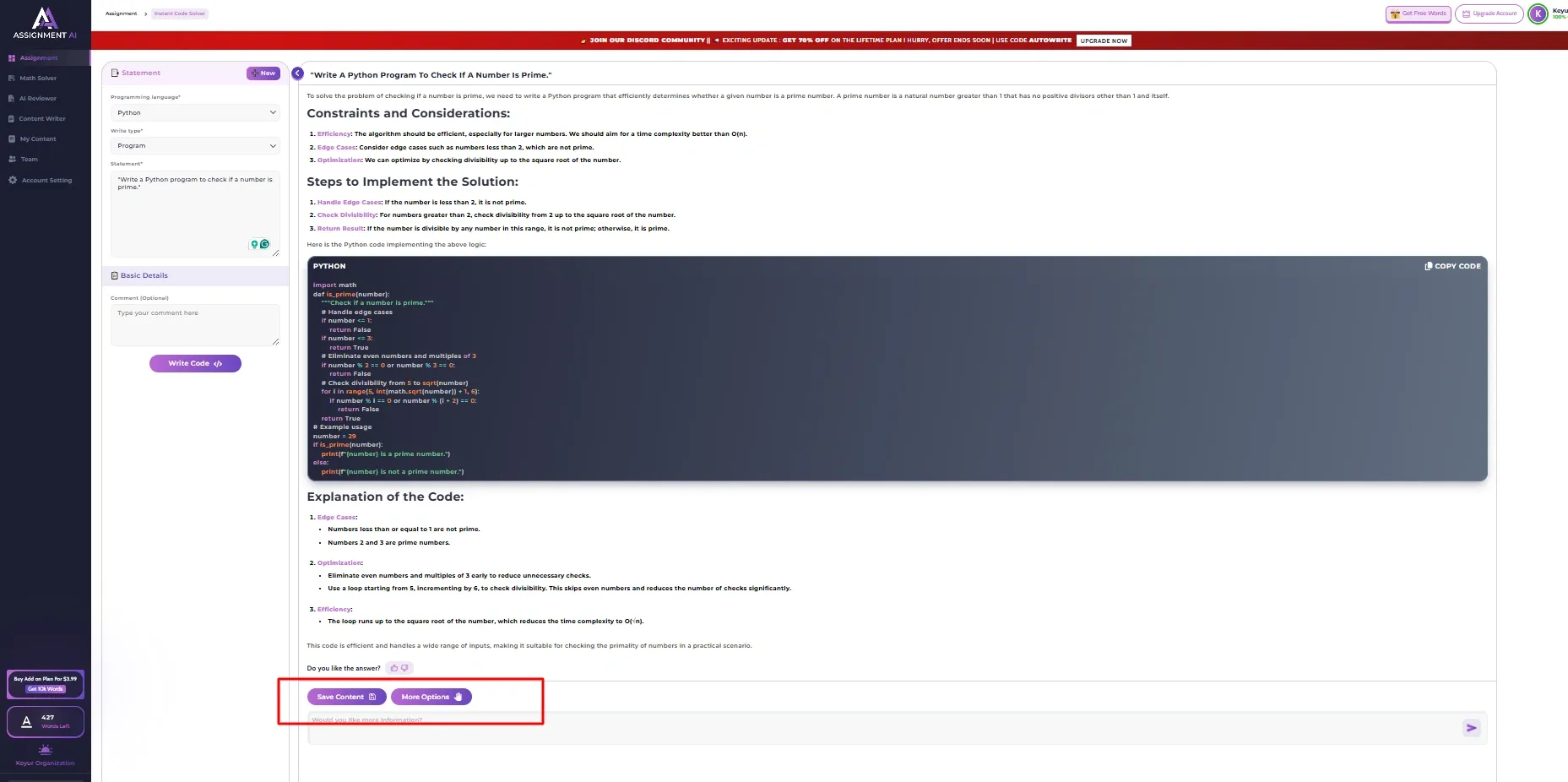
Step 5: Customize and Improve the Code
If you need changes, tweak the code to fit your project's needs. Ask for new features or ways to make it work better through the AI assistant, too.
Step 7: Submit Your Assignment with Confidence
After testing the program and making sure the output is right, do one last review of the logic. When you completely get the solution and are happy with the results, you can submit the assignment with confidence. Know that your code is accurate, works well, and is neatly put together.
Key Benefits of Using AssignmentGPT AI Code Generator
Supports 100+ Programming Languages
AssignmentGPT's AI Code Generator handles over 100 programming languages. It's perfect for students in various courses and tech fields. Need help with Python, Java, C++, or JavaScript? How about TypeScript, Golang, Rust, PHP, and C#? You can use one platform to generate code for all of them, no need to switch apps.
Generates Clean, Readable Code
This tool makes code super neat and simple to grasp, sticking to what industry pros use. It focuses on clarity, easy upkeep, and good formatting, not mess or excess stuff. So, students can hand in much better work.
Explains Logic and Algorithms
Beyond churning out code, AssignmentGPT gives clear explanations of the logic, functions, and algorithms used in its solutions. This makes it super easy for students to grasp programming concepts and boost their problem-solving skills, too.
Saves Time During Assignment Preparation
Writing code from scratch can be time-consuming, especially when working on multiple assignments. AssignmentGPT significantly reduces development time by generating accurate solutions within seconds, allowing students to focus more on learning and less on repetitive coding tasks. This is one of the biggest benefits of using AI writing tools across academic subjects.
Assists with Debugging and Optimization
If your code contains errors or is not performing efficiently, AssignmentGPT can help identify the problem and suggest improvements. Simply paste the code or error message, and the AI will provide debugging assistance, optimization recommendations, and corrected code to help you complete your project faster.
Real-World Use Cases for Students
Students are using AI code generators across a wide variety of academic scenarios:
Homework Assignments: The most common use case. Generate a working solution, study the explanation, then write your own version with full understanding.
Coding Projects: For larger semester projects, AI tools help students get the structure right from the start, saving hours of rework later.
Lab Exercises: Quick lab exercises become less intimidating when students know they have a reliable backup if they get stuck.
Competitive Programming Practice: Students preparing for coding competitions use AI generators to study optimal solutions and algorithmic approaches.
Exam Preparation: By reviewing AI-generated solutions and explanations, students strengthen their understanding of topics before exams.
AI Code Generator vs Traditional Coding Methods
| Feature | Traditional Method | AI Code Generator |
|---|---|---|
| Speed | Hours | Seconds |
| Availability | Limited (office hours, forums) | 24/7 |
| Debugging help | Manual, slow | Instant |
| Multi-language support | One at a time | 100+ languages |
| Learning support | Requires external resources | Built-in explanations |
| Stress level | High | Significantly lower |
The comparison is not really about replacing traditional learning. It is about supplementing it with a tool that removes unnecessary friction.
Common Mistakes Students Should Avoid
Copying Without Reading
One of the biggest mistakes students make is copying AI-generated code directly into their assignments without understanding it. While this may help complete the task quickly, it can create problems during vivas, coding interviews, or exams where you are expected to explain your logic. Always review the code and understand how each section works before submitting it.
Not Testing the Code
Although AI-generated code is often highly accurate, it is not guaranteed to be error-free in every situation. Different environments, input values, or assignment requirements can sometimes cause unexpected issues. Running and testing the code yourself helps ensure that it produces the correct output and meets all project specifications.
Skipping the Explanation
Many students focus only on the generated code and ignore the explanations provided alongside it. However, the explanation section is where most of the learning happens. Taking a few extra minutes to understand the algorithms, functions, and logic can significantly improve your programming knowledge and problem-solving abilities.
Over-Relying on the Tool
AI code generators should be used as learning assistants rather than complete replacements for practice and study. Depending entirely on AI can limit your ability to write code independently and develop critical thinking skills. Use the tool to accelerate learning, understand complex concepts, and improve productivity while continuing to build your own coding expertise. It is also worth understanding the pros and cons of AI assignment writing tools so you can use them responsibly.
The Future of AI-Powered Programming Education
AI isn't replacing programmers, but it sure is altering the landscape of programming education. Soon enough, AI coding assistants will be just as common in computer science classes as calculators are in math. Colleges are starting to tweak their lesson plans to fit in these new AI tools. This is part of a much larger rise of AI in education that is transforming classrooms at every level.
Students who get good at using these tools and still develop solid basic skills will totally leave behind those who completely disregard AI or take its output without question.
By 2026, the real expertise won't be about writing code alone. It'll be about working with AI to create better code faster.
Conclusion
Programming has gotten tougher, but don't feel bad about asking for help. The brightest students in 2026 aren't the ones struggling on their own for hours. Instead, they're the ones who know what resources to utilize, use them responsibly, and turn every AI-made solution into a real learning chance.
AssignmentGPT AI Code Generator is a great tool. It's quick, reliable, easy for beginners, and you can learn as it assists you.
Future developers won't only write code from scratch. They'll work with smart tools, grasp the results well, and get more done thanks to it.
So, if you're a coding student now, this is the ideal time to start using AI correctly. Explore the best AI tools for students to find the right resources that match your learning goals and academic needs.
FAQs
1. What is an AI code generator for students?

2. Can an AI code generator really help with programming assignments?
3. Is using an AI coding tool considered cheating?
4. Which programming languages does an AI code generator support?
5. How does an AI programming assistant help beginners?
6. What makes AI code generators better than searching on Google or Stack Overflow?
7. Can I use an AI coding tool for multiple programming languages in one semester?
8. What are the common mistakes students make with AI coding assistants?
9. Does an AI-powered code generator help with debugging too?
10. Is an AI code generator useful for competitive programming practice?
Digital Marketer | SEO
I’m Dipak Dangodara, the SEO Expert at AssignmentGPT AI. I manage and optimize the website’s search engine presence with a strong focus on organic growth, visibility, and performance. My work includes technical SEO, keyword research, on-page and off-page optimization, and tracking SEO performance to align with search engine best practices.
At AssignmentGPT AI, my goal is to build sustainable rankings, improve traffic quality, and ensure the platform delivers long-term value through effective SEO strategies.
Master AI with
AssignmentGPT!
Get exclusive access to insider AI stories, tips and tricks. Sign up to the newsletter and be in the know!

Transform Your Studies with the Power of AssignmentGPT
Empower your academic pursuits with tools to enhance your learning speed and optimize your productivity, enabling you to excel in your studies with greater ease.
Start Your Free Trial ➤Related Articles
Free vs Paid AI Homework Tools for Students in 2026
Compare free and paid AI homework tools in 2026 to find the best option for saving time, money, and improving study support.

10 AI Tools Every College Student Should Use in 2026
Discover 10 powerful AI tools every college student should use in 2026 to study smarter, save time, boost productivity, improve learning, & achieve better grades.
AssignmentGPT AI Citation Generator: Format Citations Fast
Create accurate APA, MLA, Chicago, and Harvard citations instantly with AssignmentGPT AI's free AI citation generator.
Is Turnitin's AI Detector Disabled in 2026? Full Guide
Turnitin's AI detector isn't gone, but Waterloo, Curtin, Yale and others have disabled it. Here's why, and what it means.
AI Homework Helpers: How They Are Changing Study Habits
AI homework helpers explain concepts step by step, helping students learn faster, study smarter, and build lasting confidence.
Best Flowchart Software Tools for Students and Developers
Compare the best flowchart tools for students, developers & engineers to create clear diagrams fast.
Start your success story with Assignment GPT! 🌟 Let's soar! 🚀
Step into the future of writing with our AI-powered platform. Start your free trial today and revolutionize your productivity, saving over 20 hours weekly.
Try For FREE ➤