
AssignmentGPT Blogs

Best Free Image to Answer Tools for Homework Help: Instant Solutions Without Typing

Get an AI summary of this post on:





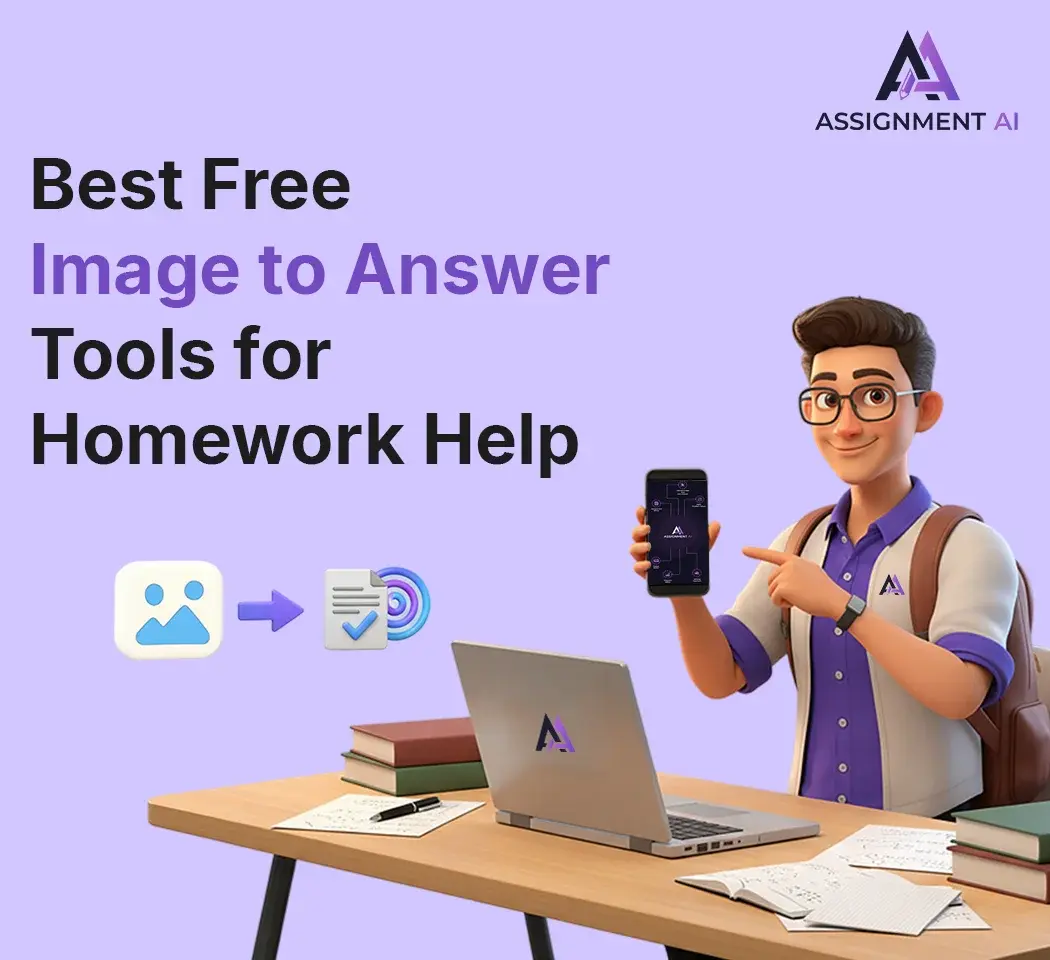
I understand, really. You're looking at a calculus question that seems to be as difficult as the ancient Egyptian writing, and the last thing you want is to input all the symbols, exponents, and fractions one by one into a calculator or a search engine. I have experienced it, got the headache as well.
What Are Image to Answer Tools? (And How Do They Actually Work?)
Simple explanation: Snap, upload, get answers
Certainly, the prime and foremost quality of these gadgets is their ease of use. Simply capture the visual of your homework question be it math, science, or even reading comprehension through your smartphone and then upload the image via the app or website.
It feels as if you have an extremely tolerant tutor who is always there for you and is never going to lose his/her cool if for the hundredth time you ask the same type question.
The technology behind it: AI, OCR, and machine learning made simple
Sure, I can take the technical route, but I will not go too deep into it; however, knowing the fundamentals will still allow for better usage of these tools.
The first thing is that these applications implement an OCR (Optical Character Recognition) technology to recognize the text on your picture. Imagine the app teaching itself to read scripts and printed words just like you did in kindergarten – only this is done in milliseconds
Afterward, AI and machine learning take the stage. The algorithm identifies the nature of the question you are asking, sifts through millions of similar queries it has encountered before, and produces an answer. Gradually, it becomes smarter and more proficient, thus the remarkable accuracy of these tools in the last few years.
Why these tools are becoming every student's secret weapon
The reality is that these tools are not merely generators of answers. The best of them are capable of teaching you the art of problem-solving. Students with whom I have interacted and who wisely employ such tools Constantly mention that it is like having a fellow student who is always ready to help and never tires of explaining things.
Moreover, we have to face the fact: homework due dates are very much indifferent to your struggle with question number 17 at 11 PM! Being able to do math by taking a picture with your phone means you are not left without any option completely.
Who Can Benefit Most from Image-Based Homework Tools?
High school students dealing with math and science
These tools are practically designed for you if you are in high school taking algebra, geometry, chemistry, or physics. A Junior student, for example, who had been barely passing mathematics, later, across the board, got to the point of understanding trigonometric functions, and this was all because he was shown the steps in a very clear and visual way.
College students tackling complex problems at midnight
College is a whole new scenario. You have to learn calculus, organic chemistry, and face engineering problems, which would make your high school self cry. If you are struggling with a problem set at 2 AM and the library tutors have already left, then an AI answer photo tool will be of great help.
Visual learners who understand better with step-by-step solutions
There are some people who simply learn more efficiently when they observe the performance of others. I belong to this group. The written explanation from a textbook turns me into a statue, but when I am shown the complete procedure along with the work? Instantly, everything starts to make sense. If this is the case with you, then these visual instruments will revolutionize your studying methods.
Students with learning disabilities or typing challenges
The impact of this topic is enormous yet it remains largely unnoticed. Learners experiencing dyslexia, dysgraphia, or having certain issues with motor skills usually find it hard to cope with the traditional methods of homework doing. The possibility of scanning a question and receiving an answer without having to type the whole thing manually eliminates one significant obstacle to the learning process.
Top 10 Best Free Image to Answer Tools in 2026
Alright, let's Jump straight into the good stuff. I have personally tried all of these, and below, I'm going to give my most sincere opinion about it all.
1. AssignmentGPT AI – AI-Powered Homework Helper
How it handles image-based questions
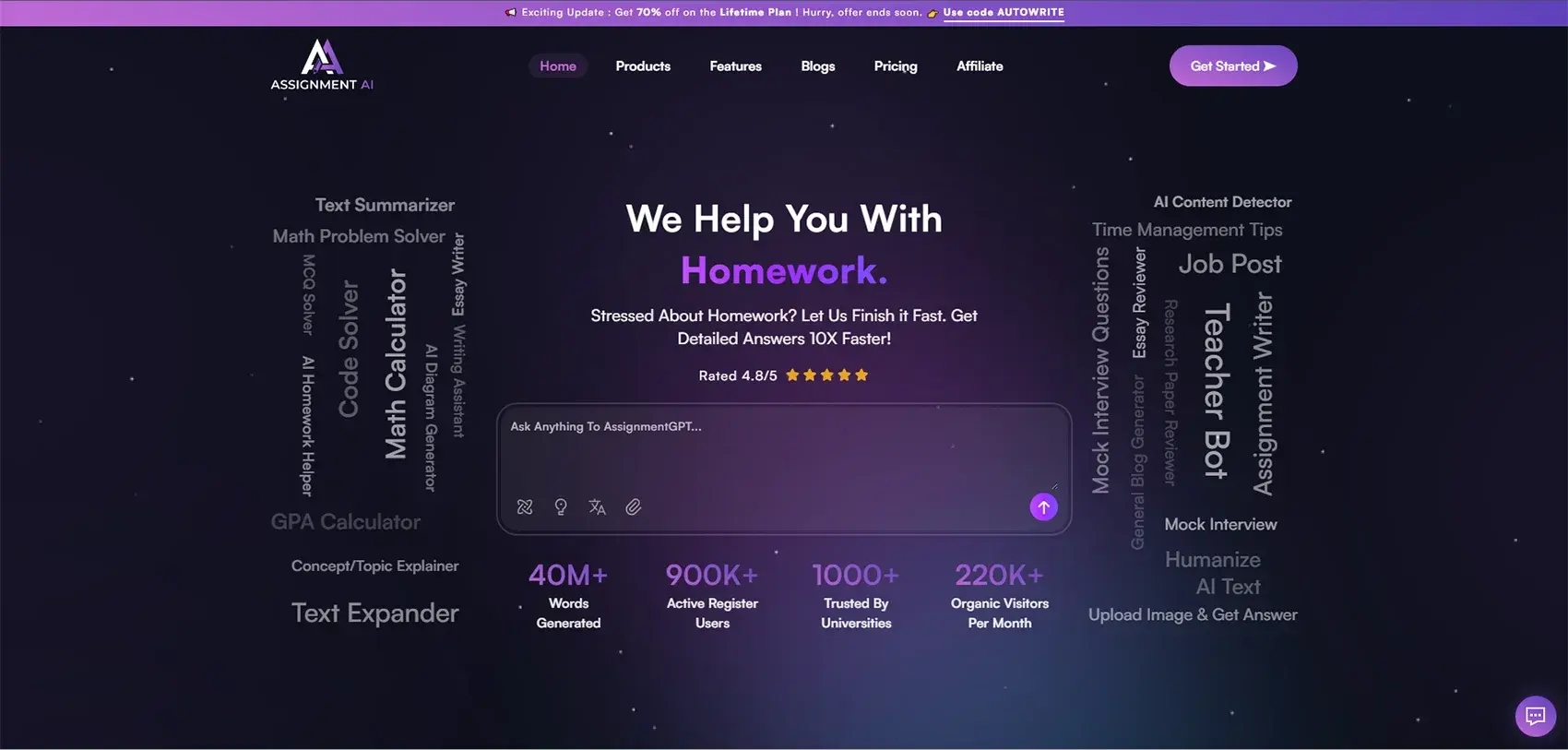
I must bring up Assignmentgpt AI as it truly has been a great help for many of my friends studying.
Not only can you upload the image, but you can also receive the answer from AI for free in various subjects, and the AI provides the explanation in a language that is easy for the students to understand.
Subject coverage and accuracy
One of the features I appreciate about AssignmentGPT is that it offers a solution not an answer. It decomposes difficult problems into little pieces and shows the rationale of each step. You can ask it anything regarding math, science, history, or English – almost all the subjects you encounter at school.
Pros and cons
Pros: Support for multiple subjects, logical reasoning as well as proof of reasoning, assists with essays and other written tasks, and availability of a free plan
Cons: Still a new platform and features are developing, requires images that are quite clear for the best performance
Best for: Students needing detailed explanations across subjects
To be Honest, this is really a big help for pupils who prefer one application for all their assignments. The AI picture response creator is not just for getting quick answers; it is learning oriented.
2. Microsoft Math Solver – Free and Powerful

Features that stand out
Microsoft is serious about it. Their AI image solver is totally free with no premium version to buy, which is quite pleasant. It supports many languages and you can also use your finger on a tablet to draw equations.
Pros and cons
Pros: Graphing features with great functionality, multiple methods shown reaching to the solution.
Cons: The interface is not as polished as the one in Photomath, and there are moments when the app gets too sluggish in its processing.
Best for: Use cases
This option is fantastic for someone either on a budget or just into free stuff; users are drawn to the myriad solutions that are presented to them.
3. Google Lens – More Than Just Image Search

How to use it for homework
A lot of people are not aware that Google Lens can serve to be a homework assistant. If you point your camera at texts, equations or even diagrams Google Lens will find the relevant information and the solutions.
Pros and cons
Pros:Fast for so much more than math (languages, objects, nature, etc.), this already goes mobile!
Cons:This is far from providing step-by-step solutions, but it is more of a search tool than an actual solver.
Best for: Quick lookups and definitions
Great for confirming a quick fact or understanding a quick concept, not good for critical problem-solving.
4. Socratic by Google – Your AI Study Buddy

What makes it different
Socratic is a unique app since it covers various topics like mathematics, science, literature, and social studies. The AI-powered picture answer system uses educational resources from the internet to provide detailed explanations.
Pros and cons
Pros: The platform presents several topics, featuring video illustrations and a student-friendly interface.
Cons: Oftentimes, general observations and stereotypical maxims are spouted at you rather than helping you solve your specific problem.
Best for: Multi-subject help
Ideal for students who want to keep everything in one app to juggle between classes.
5. Mathway – Visual Math Problem Solver

Key features
In terms of internet time, Mathway has been around for quite a long time, and it is noticeable. The service is extremely refined and can be used for various subjects like math, statistics, and even chemistry.
Pros and cons
Pros: Sure, whatsoever topic may be important in math, it has been put together for us to learn.
Cons: Immediate solutions are only available on a subscription basis, although the final answers are still given free of charge.
Best for: Algebra to calculus
For those scholars who want the right answers to verifying their work but view the workings only on an as-needed basis.
6. Brainly – Community-Powered Answers

How it works
Brainly is not like other platforms it is a community-based platform where questions are posted and answered by students and teachers. You can upload an image and get an AI answer for free, but then real people verify and clarify the solutions.
Pros and cons
Pros: Not the same as in ours, obviously: one-to-one, some people explain things, or give their informed viewpoints or opinions, or share or provide related links, or offer pertinent advice, or Clarify their opinions
Cons: The variety of response time along with the quality of an answer is based on which responder answers the question; some answers require ad-hoc payments.
Best for: Getting peer explanations
It is a great approach mainly when you want to know the reason behind the functioning of something instead of only knowing the answer. The human aspect turns the elucidations into more understandable and familiar ones.
7. CamScanner (with OCR) – Convert and Solve

Beyond just scanning
CamScanner had its roots in document scanning, but the evolution made it a tool that is widely used for pasting images and getting questions answered. The app changes your pictures into text that can be edited, and from there, you can either solve or arrange the text.
Pros and cons
Pros: on the updue:G Apaso in organization of the material , Ohigh-quality scan; Cocr accuracy
Cons: Distinct for its signature and rudimentary enough to be a stand-alone unit.
Best for: Document-heavy assignments
It allows learners to convert notes, diagrams, and textbook pages into an organized, searchable format.
8. Chegg Study – Free Trial Worth Exploring

What's free vs. paid
Allowing everything – Chegg is, for the most part, a paid service, but they do offer free trial periods and limited free features. Their AI system for picture answers has the support of a huge collection of textbook solutions.
Pros and cons
Advantages: A vast library of textbook solutions, answers verified by experts, and thorough explanations are some of the benefits.
Disadvantages: The service becomes pricey post the trial period and at times the quantity of information might be overwhelming.
Best for: Textbook problems
Primarily for students in college who have to go through specific textbooks seeking some assignments; the two-month trial period may be used to attain a lot.
9. Photomath – The Math Problem Solver King

What it does best
Photomath is the original math solver from image tools. It handles everything from basic arithmetic to calculus, and honestly, it does it beautifully. The step-by-step breakdowns are color-coded and super easy to follow.
Pros and cons
Pros: Very accurate, works without an Internet connection, breaks down every possible operation and is comfortable with elementary schooling all the way through college activities.
Cons: Only Math (premium-other subjects) includes some advanced features
Best for: Which students should use it
Should you experience difficulties in math - regardless of level - then begin with this one. I absolutely suggest this to any student who inquires about homework aid tools.
10. Symbolab – Great for College-Level Math

Advanced features
Symbolab is an app that math majors and engineering students secretly talk about. It deals with the toughest parts of calculus, differential equations, and advanced algebra to the point where other apps are left in tears.
Pros and cons
Pros: Capable of doing extremely advanced mathematics, providing a very detailed step-by-step for complicated issues, and creating practice problems
Cons: The user interface is messy, the ads are shown in the free version, and it might be too much even for very simple problems.
Best for: Calculus and beyond
If you're in advanced math courses, try Symbolab if other tools fail you.
Quick Comparison Table: Which Tool Is Right for You?
Side-by-side feature comparison (subjects, accuracy, speed, free limits, platforms)
Let me break this down in a super clear comparison table so you can see exactly which math image solver fits your needs:
| Tool Name | Best For | Subjects Covered | Accuracy | Speed | Free Limits | Platforms |
|---|---|---|---|---|---|---|
| Photomath | Pure math problems K-12 to college | Math only (Algebra, Geometry, Trig, Calculus) | Excellent (9/10) | Very Fast | Unlimited scans, basic steps free | iOS, Android, Web |
| Microsoft Math Solver | Budget-conscious students | Math (Arithmetic to Calculus) | Excellent (9/10) | Fast | Completely free, no limits | iOS, Android, Web |
| Google Lens | Quick lookups & definitions | All subjects (general search) | Good (7/10) | Very Fast | Unlimited, completely free | iOS, Android (built-in) |
| Socratic by Google | Multi-subject help | Math, Science, Literature, History, Social Studies | Very Good (8/10) | Fast | Unlimited, free | iOS, Android |
| Mathway | Algebra through calculus | Math, Chemistry, Physics, Stats | Very Good (8/10) | Fast | Unlimited scans, answers free (steps cost $) | iOS, Android, Web |
| Brainly | Peer explanations | All school subjects | Variable (6-8/10) | Slow to Medium (human answers) | 5 free answers/day, then limited | iOS, Android, Web |
| CamScanner | Document scanning & organization | All (via OCR conversion) | Good (7/10) for OCR | Fast | 10 scans/day free | iOS, Android |
| Chegg Study | Textbook-specific problems | All college subjects | Excellent (9/10) | Fast | Free trial only, then paid | iOS, Android, Web |
| AssignmentGPT.ai | Detailed multi-subject explanations | Math, Science, English, History, Essays, All subjects | Very Good (8/10) | Fast | Free tier available with limits | Web, Mobile-friendly |
| Symbolab | Advanced college math | Advanced Math (Calculus, Diff Eq, Linear Algebra) | Excellent (9/10) | Medium | Unlimited with ads, steps cost $ | iOS, Android, Web |
How to Use Image to Answer Tools Effectively (Without Just Copying Answers)
Here I need to talk with you as if we are face-to-face.
Step 1: Take a clear, well-lit photo of your problem
It may be an obvious thing, but it will surely surprise you how often students send blurry and dark pictures and then wonder what went wrong when the math image solver gives wrong answers. Sunlight, steady hands, proper framing for everything.
Step 2: Review the solution step-by-step (don't just skip to the answer)
Really, there is no single aspect that may be more important than this one. I am fully aware that the Attract is to do just that, and progress to the next question is very strong. Nevertheless, if you opt to do it, then it's practically like you are throwing away your time. Tomorrow, you will come across the same problem with the same type of solution.
Step 3: Try solving a similar problem on your own
Once you have comprehended the way how the tool dealt with the issue, search for a similar one in your textbook or worksheet and attempt it all alone without any assistance. This is the point at which genuine learning takes place. You are putting to the test
Step 4: Use these tools to check your work, not replace your thinking
The most remarkable process I have witnessed among students in the utilization of these tools is the following: After they solve the problem and obtain an answer, they use the AI answer picture tool to verify it. In case they made a mistake, they will be able to pinpoint the exact location of the error.
Real student story: How Jake improved his grades by learning, not just copying
I recollect a pupil by the name of Jake who had a hard time with algebra. He discovered Photomath and made it his helper for each problem by copying theanswers. His homework grade improved, but he failed all his tests.
Common Problems Students Face with Image Recognition Tools (And How to Fix Them)
"The app can't read my handwriting" – Solutions
Sure, handwriting recognition is still not a hundred percent reliable. Suggestions: write with a larger size, make digits using distinct block letters, and give more space between lines. Or even better, snap a photo of the printed question from your textbook or worksheet rather than your notes.
"It's giving me the wrong answer" – Why does this happen
More often than not, this is something that people do not admit. The primary reason behind it is that the OCR has made a mistake while reading your image. Ensure that you verify what the app thinks you are asking for before you accept the answer as correct. At times, it may interpret a "6" as a "b" or overlook an exponent.
In addition, a range of problems will have more than one correct way to solve it, and the app could end up solving it differently from what was taught in class by your teacher. The output could be correct but not in the format that the teacher prefers.
"The free version is too limited" – Workarounds
Employ various free tools simultaneously. One tool may be out of reach due to a paywall while the other provides it for free. I honestly never spend money on these applications since their free versions when combined can completely satisfy my necessities.
"My teacher thinks I'm cheating" – How to use tools responsibly
This is a difficult problem. Please Disclose your steps. Write down the steps in your own handwriting even if you have used a tool to comprehend the problem. Prove that you are Informed with the procedure. A majority of the teachers are able to distinguish between a student who learned by means of a tool and a student who merely copied.
"It doesn't cover my subject" – Alternative approaches
You may still use these tools creatively for subjects like history or English where the mentioned tools don't perform well. For example, capture an image of a primary source document, and use Google Lens to look for its analysis. Or, use AssignmentGPT.ai which deals with essay questions and reading comprehension more effectively than math-centered tools.
The struggle of typing long equations and complex problems
Throughout my observation of students over the years, I've concluded that they truly waste a lot of time writing math problems. You are Disorder around special characters, wondering how to make the square root symbol on your mobile phone keyboard, and when everything is typed out, you are utterly lost in your thoughts.
I used to see my younger cousin take 15 minutes just to type one chemistry equation correctly. That's not learning – that's suffering.
And truth be told? There are times you simply cannot type what you see. Take for example a complex geometry diagram, try to describe it in words. Go on, I will wait for you. Right.
How a simple photo can save you hours of homework time
The turning point is reached at this stage. Picture the scenario where you take out your cell phone, capture a moment of that Shocking sum in the form of a picture, and receive a thorough answer in seconds. Zero input. Zero formatting troubles. Simply aim, click, and comprehend.
I have been a witness to this Changing of the educational process in a very positive way for students. A task that previously required 45 minutes of agony is now done in 5 minutes of concentrated learning. You are not just the one struggling with tech gadgets but the one who actually grasps the principles. That is the point we all aspire to.
What this guide will help you discover
I will be your main guide in the discovery of all that there is to know concerning the math image solver tools and other AI image answer platforms.
The best free options (since I am aware that student budgets are limited) will be revealed to you as well as how to use these tools without becoming dependent on them and, most importantly, how to learn from them instead of just copying answers.
Picture this as your friendly guide to the smarter way of working, not the harder way.
Beyond Basic Homework: Creative Ways to Use Image-Based Learning Tools
Creating study guides from your class notes
During the semester, snap the photos of your notes, and afterward, make use of the OCR software to change them into text. You are now able to organizing, editing, and making digital study guides. This method allowed me to witness students merging a week-long note into a single clear document.
Understanding diagrams and charts in textbooks
Take a photo of the Confusing biology chart or physics force diagram and then apply Google Lens to discover better explanations or videos related to it. Quite often, picturing the same idea explained in another way helps understanding.
Learning foreign languages through visual translation
Just aim your camera at the Spanish-written text and observe its translation happening instantly. Such a feature is not only fantastic for students' homework, but also great for the casual acquisition of word meanings through seeing them used in context.
Identifying plants, animals, and objects for science projects
Tools like Google Lens are capable of identifying practically any object. Want to take photos for the biology collection? The application will not only inform you about the species but also provide you with facts and everything else related to it.
Getting instant feedback on practice problems
You can solve practice problems from past exams or textbooks, take pictures of your work, and utilize AI-based image solver tools to instantly verify whether your solution is correct or not. This process greatly accelerates the overall studying tempo.
Free vs. Paid Features: Is Upgrading Worth It for Students?
What you typically get for free
The majority of the apps let you have the ultimate answer without any charge. A number of them also extend the offer of simple step-by-step solutions. Usually, this is more than sufficient for the majority of the students most of the time.
What premium versions usually offer
Paid subscriptions generally provide access to in-depth explanations, eliminate advertisements, allow unlimited daily problems, and occasionally include additional benefits such as practice problem generators or study analytics.
Student discount opportunities
Verify whether your .edu email address qualifies for a discount. A lot of services give 40-50% off for students. In addition, there are some colleges that have an agreement with the platforms and provide the students with free use of those platforms.
Honest take: When free is good enough
In all likelihood, the free versions are sufficient for about 90% of the homework situations. The only reasons to pay would be if: you are using one tool non-stop for an overwhelming course, the additional features are making the learning process for you, or the advertisements are irritating you a lot. If not, then, do not spend your money.
The Future of Image-Based Learning: What's Coming Next?
AI getting smarter and more accurate
The current tools are incredible honestly when compared to those of just two years ago. The development process is continuous and only gets better as time goes by. The next step would probably be the recognition of handwriting that is next to perfect along with the comprehension of context that is even more superior.
Real-time tutoring through your camera
Envision aiming your camera at a difficulty and an AI teacher guiding you through it step by step, responding to your queries along the way. It is on the way. A few gadgets have already started trying this method.
Augmented reality homework help
Just imagine you are peering at a math problem using your mobile device, and the three-dimensional objects are displayed on your display giving you the method of visualization of the answer. Augmented Reality (AR) for teaching purposes will become very popular.
More subjects beyond math and science
At the moment, the majority of image math solvers are targeted towards the fields of science, technology, engineering, and mathematics (STEM). However, artificial intelligence is improving its capability when it comes to comprehension of essays, historical contexts, and literary analysis. Very soon, such tools will be competent enough to be used in humanities courses as well.
Conclusion
These instruments are meant to aid learning rather than replacing the thought process of learners. If correctly operated, they will make the clarity of understanding the ideas rather than simply giving you the answers.
The most successful students are the ones who consider these tools as the first step to understanding, then going through the learning process via practice and checking their understanding
Bring in a couple of the tools which match your personal style and use them wisely. They can be time-efficient in studying but still, the primary purpose should always be to comprehend the topic rather than just getting the homework done quickly.
FAQs
1. What is a math image solver and how does it work?

2. Can I take a picture of a math problem and get the answer for free?
3. Which is the best AI answer picture tool for homework help?
4. How accurate are AI image solver apps for complex math problems?
5. Can I upload image and get answer AI free for subjects other than math?
6. Is using a picture answer AI tool considered cheating in school?
7. What's the difference between free and paid math solver from image tools?
8. Can AI image answer generator tools read handwritten math problems?
9. How do I scan question and get answer without typing anything?
10. Which AI picture answer tool is best for college-level mathematics?
11. Can I paste image and question for answer in multiple languages?
12. Are AI answer picture tools safe to use for students?
13. How can I get better accuracy from my math image solver app?
14. Can answer AI picture tools help with word problems and story questions?
15. Do I need internet connection to use take a picture math solver apps?
Content writer at @AssignmentGPT
Ashu Singh, content writer at AssignmentGPT, crafting clear, engaging content that simplifies complex tech topics, with a focus on AI tools and digital platforms for empowered user experiences.
Master AI with
AssignmentGPT!
Get exclusive access to insider AI stories, tips and tricks. Sign up to the newsletter and be in the know!

Transform Your Studies with the Power of AssignmentGPT
Empower your academic pursuits with tools to enhance your learning speed and optimize your productivity, enabling you to excel in your studies with greater ease.
Start Your Free Trial ➤Related Articles
Free vs Paid AI Homework Tools for Students in 2026
Compare free and paid AI homework tools in 2026 to find the best option for saving time, money, and improving study support.

10 AI Tools Every College Student Should Use in 2026
Discover 10 powerful AI tools every college student should use in 2026 to study smarter, save time, boost productivity, improve learning, & achieve better grades.
AssignmentGPT AI Citation Generator: Format Citations Fast
Create accurate APA, MLA, Chicago, and Harvard citations instantly with AssignmentGPT AI's free AI citation generator.
Is Turnitin's AI Detector Disabled in 2026? Full Guide
Turnitin's AI detector isn't gone, but Waterloo, Curtin, Yale and others have disabled it. Here's why, and what it means.

AI Homework Helpers: How They Are Changing Study Habits
AI homework helpers explain concepts step by step, helping students learn faster, study smarter, and build lasting confidence.
Best Flowchart Software Tools for Students and Developers
Compare the best flowchart tools for students, developers & engineers to create clear diagrams fast.
Start your success story with Assignment GPT! 🌟 Let's soar! 🚀
Step into the future of writing with our AI-powered platform. Start your free trial today and revolutionize your productivity, saving over 20 hours weekly.
Try For FREE ➤